
How to Choose an HF Transceiver for Your Needs
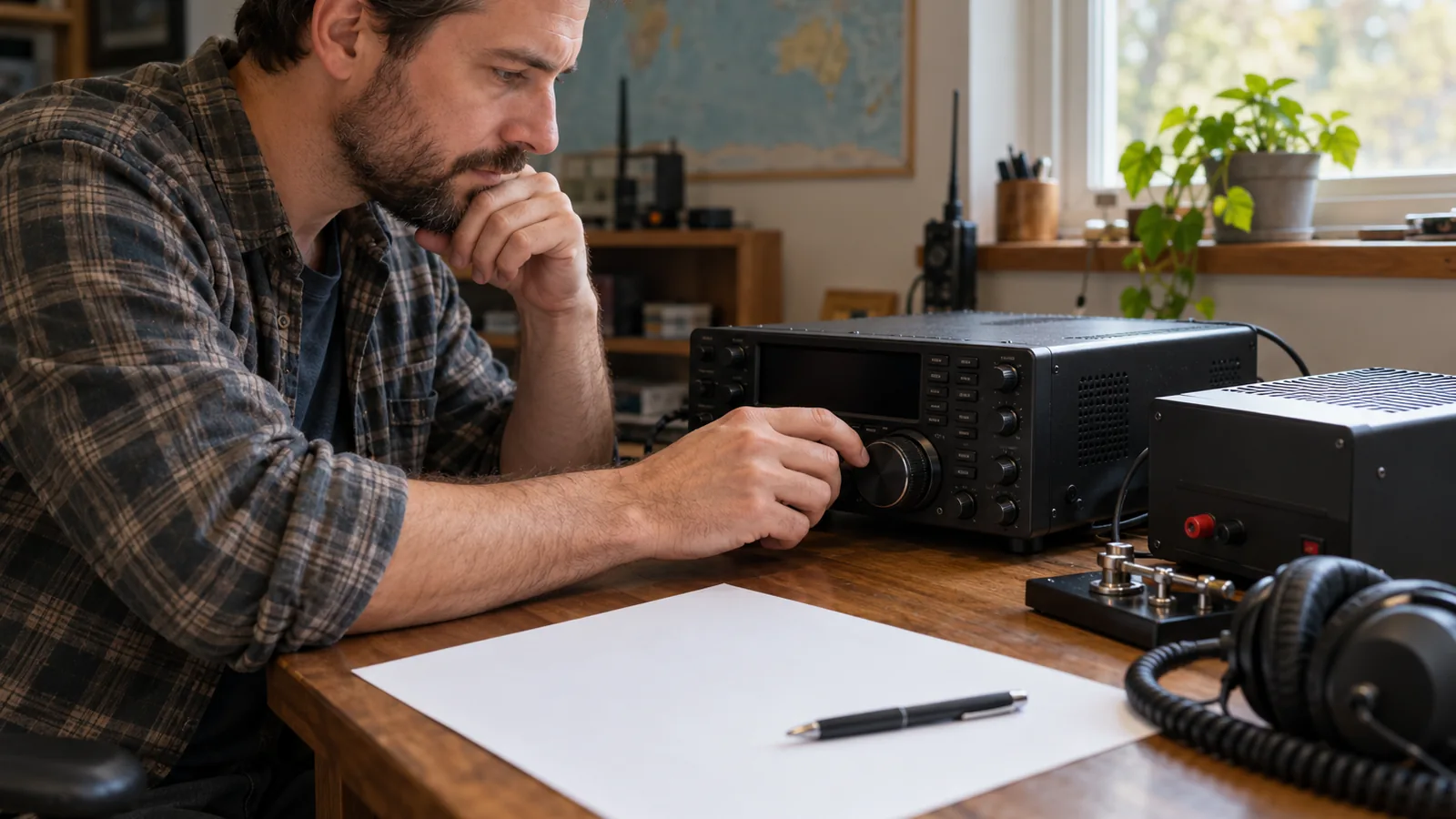
To choose an HF transceiver, match its bands, modes, receiver features, and installation needs to your plans, then budget for the full station; a typical 100 W radio needs about 25 A of supply capacity. If you’ll operate indoors with a mobile radio, include a suitable DC power supply and plan cable routing before you buy.
Quick answer
How do I choose an HF transceiver?
Start with the bands, modes, and operating location you need, then compare each radio’s verified specifications and the full station cost. Choose a mobile radio for vehicle use or a compact indoor setup; indoor use requires a suitable 13.8 V DC supply. For a 100 W radio, about 25 A at 13.8 V is a general supply-sizing guide, but the radio’s specified current takes priority.
- List the bands and modes you plan to use, then confirm the exact radio version supports them.
- Compare RF output, power draw, receiver performance, filter type and bandwidth, tuner range, antenna connection, size, and computer compatibility for digital modes.
- Match the radio to your installation: check vehicle voltage and power connections for mobile use, or supply voltage and available space for indoor use.
- Budget for the complete station, including the power supply, antenna, and tuner if needed; weigh a used radio’s condition against the features you expect to use.
- Compare lab-tested performance, then confirm the radio and supporting equipment fit your plans.
Choose an HF Transceiver Step by Step
List the bands and modes you plan to use. Write down the amateur bands you want to operate on and whether you need SSB, CW, digital modes, or other modes. Check that the radio supports those transmit bands and modes; coverage can vary by model and version.
Choose mobile or indoor base operation. A compact, vehicle-oriented mobile radio can also serve indoors, but you’ll need a suitable 13.8 V DC supply. A base transceiver is generally larger and designed for indoor use, so compare the radio’s size and mounting needs with your available space.
Set a budget and decide whether to buy new or used. Include the station equipment the radio requires, not just the transceiver. If you’re considering used equipment, weigh its condition against the features you expect to use.
Separate required features from extras. Check receiver-filter type and bandwidth for your planned modes, RF output, power draw, built-in tuner and matching range, antenna connection, size, and computer-interface compatibility for digital operation. A tuner can match antenna-system impedance to the transceiver’s 50 Ω input, but it doesn’t make an inefficient antenna efficient.
Check power and antenna requirements for your installation. For a vehicle, confirm the radio’s required vehicle voltage and power connection; for example, the FT-891 requires a negative-ground 12 V system and direct battery connection. For indoor use, size the DC supply to the radio’s specified current; about 25 A at 13.8 V is only a general rule of thumb for a 100 W radio. Match the antenna and any tuner to your intended bands and operating modes.
Compare verified specifications, then confirm the full station fits. Check each candidate’s specifications against your list, including the exact version’s band coverage. For independent performance data, use lab-tested reviews rather than relying only on advertised features. Before choosing, confirm the radio, power supply, antenna, tuner if needed, and installation all suit your operating plans.
Match Radio Features to Your Operating Plans
Match modes, bands, transmit power, receiver performance, filters, and controls to the operating you plan to do, then compare those features across radios. A specification matters only if it supports your intended use, so start with the bands and modes you expect to use.
- Modes and bands: Confirm that the radio transmits on the bands and supports the modes you plan to operate. For example, the US version of the Icom IC-7300 covers 160–10 meters and 50 MHz, with SSB, CW, RTTY, AM, and FM; its 60-meter coverage carries a frequency limitation. The Yaesu FT-891 covers amateur bands from 1.8 to 54 MHz and supports CW, AM, LSB/USB, and FM. These examples show why you should compare the exact coverage and mode list, rather than assume two HF radios offer the same options.
- Transmit power and system needs: Compare RF output alongside power draw, then check that your power source and antenna setup can support the radio. A built-in tuner and its matching range may also matter if your antenna needs additional matching.
- Receiver performance: Compare blocking dynamic range and third-order intercept point, or IP3; higher values are generally better. Check whether filters use adjustable DSP or separate hardware, and whether their bandwidths suit your modes.
- Controls and digital operation: Compare the controls you’ll use and check computer/interface compatibility if you plan to operate digital modes. The available research identifies interface compatibility as a comparison point, but does not provide specific control layouts or ratings.
For a quick comparison, record each model’s transmit bands and modes, RF output, power draw, receiver figures, filter type and bandwidth, tuner range, antenna connection, and interface compatibility. ARRL recommends using QST Product Reviews for lab-tested performance, rather than choosing from advertised features alone.
Plan the Mobile or Base Installation
Choose between a mobile radio in your vehicle and a base radio indoors, then plan for the matching power source, antenna, and mounting space. Mobile radios are typically compact and slim, while base transceivers are generally larger and intended for indoor use.
For a mobile installation, confirm your vehicle’s electrical system and the radio’s power connection before mounting it. The FT-891, for example, requires a negative-ground 12 V system and a direct battery connection with its supplied cable; its manual warns against cigarette-lighter connectors and 24 V vehicle batteries. Treat those as model-specific requirements, not rules for every mobile radio.
Plan where the radio will sit and how you’ll route its power and antenna cables without obstructing vehicle controls. The research gives no universal clearance, mounting dimensions, or cable-routing measurements, so compare the chosen radio’s size with your available space before you install it.
For indoor use, a mobile radio needs a suitable 13.8 V DC power supply, and mobile radios can serve as base radios. Base transceivers are generally larger, so measure your operating space and check that it can hold the radio and power supply. Plan the antenna location and feed line as part of the station, rather than treating the radio as a complete setup.
Match the antenna system to the radio’s antenna connection and impedance requirements. The FT-891 specifies 50 Ω antenna/feed impedance and recommends keeping SWR at the antenna connector at or below 1.5 where possible; proper antenna preparation or a tuner can help protect the radio. A tuner matches antenna-system impedance to the transceiver’s 50 Ω input, but it does not make an inefficient, mismatched antenna efficient.
If you’ll transmit digital modes such as FT8 with a 100 W transceiver, choose a tuner rated for at least 100 W continuous power, rather than only 100 W PEP. A small or poor mobile antenna can make contacts harder, so include antenna size and placement in your vehicle plan.
Compare HF Transceiver Specifications Quickly
There isn’t enough comparable model data here to rank HF transceivers in a specification table. Compare the same criteria across the models you’re considering, and use verified reviews for measured receiver performance.
| Comparison criterion | What to compare | Source |
|---|---|---|
| Transmit coverage | Bands and modes | arrl.org |
| RF output | Maximum output power | arrl.org |
| Receiver performance | Blocking dynamic range and third-order intercept point | arrl.org |
| Receiver filters | Adjustable DSP or separate hardware, plus bandwidths | arrl.org |
| Power and connections | Power draw and antenna connection | arrl.org |
| Tuner | Whether it’s built in and its matching range | arrl.org |
| Size and interfaces | Radio size and computer compatibility for digital modes | arrl.org |
Use the receiver figures to compare how radios may handle strong nearby signals: higher BDR and IP3 are generally better. Check filter type and bandwidth against the modes you plan to use, since a feature’s value depends on your operating needs.
Treat advertised features as a shortlist, then compare lab-tested results in QST Product Reviews. For each model, confirm that the listed transmit bands and modes, output, power draw, antenna connection, tuner, dimensions, and computer interface fit your intended station.
Frequently Asked Questions
What antenna works best with an HF transceiver?
The best antenna is one that covers the bands you plan to use and works with your installation, feed line, and tuner, if needed. A four-band end-fed half-wave antenna is one option for 10, 15, 20, and 40 meters.
Do I need a license to operate an HF transceiver?
Yes, you need the appropriate amateur radio license to transmit on amateur HF bands. Choose the radio’s transmit bands and modes to match the privileges of your license, and check the exact version’s coverage before buying. You can compare receiver features separately from transmit privileges.
How do I connect an HF transceiver to a computer for digital modes?
Connect the transceiver to a computer using an interface compatible with both devices, then configure the radio and digital-mode software to use that connection. Check the specific radio’s computer-interface compatibility before buying, since interface options vary by model.
How can I test a used HF transceiver before buying it?
Compare the radio’s exact specifications with your operating needs, then ask to verify that it receives and transmits on the bands and modes you plan to use. Check the power supply, antenna connection, controls, and computer interface if digital modes matter to you.
What accessories do I need for an HF transceiver station?
At minimum, plan for an antenna, feed line, and a suitable power source; add a tuner if your antenna system needs matching. For indoor use, a mobile radio needs a suitable 13.8 V DC supply. For digital modes, check computer-interface compatibility.
Conclusion
If you’ll operate from a vehicle or need a compact radio, choose a mobile transceiver only after confirming its power connection, mounting space, antenna plan, and indoor supply needs. If you’ll operate indoors and have room for a larger radio, compare base transceivers against the same bands, modes, receiver, and interface requirements.
Next, shortlist radios that meet your must-haves, then verify each model’s exact specifications and the full station requirements before buying.
Sources
- arrl.org (arrl.org)
- Buying Your First Radio (arrl.org)
- arrl.org (arrl.org)
- arrl.org (arrl.org)
- arrl.org (arrl.org)
- yaesu.com (yaesu.com)
- arrl.org (arrl.org)
- icomamerica.com (icomamerica.com)
- yaesu.com (yaesu.com)
- arrl.org (arrl.org)
