How to Choose a Power Supply for a Ham Radio
To learn how to choose a power supply for a ham radio, match the supply’s continuous current rating to the radio’s maximum transmit draw and its specified DC voltage. A 100 W transceiver may need about 25 A at 13.8 V, but use your exact radio’s rating and add current for equipment sharing the supply.
Quick answer
How do I choose a power supply for a ham radio?
Match the supply’s DC output voltage to your radio’s permitted input range, then choose a continuous current rating at least as high as the radio’s maximum transmit draw. Add the expected current of any other equipment sharing the supply. Before connecting, verify the cable’s connector and wiring, check voltage and polarity at the radio end, and turn off the radio and supply.
- Find your radio’s specified DC voltage and allowed range; a “12 V” label alone doesn’t confirm compatibility.
- Use the radio’s maximum transmit-current figure, not its receive draw; about 25 A at 13.8 V is an example for a 100 W transceiver, not a universal target.
- Select a supply with continuous capacity that meets or exceeds the combined load; don’t count a peak rating as continuous capacity.
- Check that the supplied or specified cable fits and has the correct wiring, since the same connector type can use different wiring.
- Measure voltage and polarity at the radio end with a DC voltmeter before connecting.
- If considering a switching supply, look for a low-RFI claim; interference depends on the supply model and installation.
Match the supply to your radio
Read the radio’s DC input rating. Find the exact model and version in the manual, then note its required voltage and permitted range. A “12 V” label alone doesn’t confirm compatibility: the Icom IC-7300 specifies 13.8 V DC ±15%, while the Yaesu FTdx1200 specifies 13.8 V DC ±10%.
Find maximum transmit current. Use the manufacturer’s maximum transmit-current figure, not the lower demand you might see while receiving. For context, a 100 W transceiver transmitting at full output may require about 25 A at 13.8 V, but use your radio’s own rating when available.
Add the current draw of shared equipment. If the supply will also power accessories or other station equipment, add their expected current draws to the radio’s maximum transmit current. Size the supply for that combined load.
Choose enough continuous current capacity. Select a supply whose continuous current rating meets or exceeds the calculated load; don’t count an intermittent or peak rating as continuous capacity. A higher current rating doesn’t push extra current into the radio; the equipment draws what it needs.
One model-specific exception shows why you need the exact radio rating: the Kenwood TS-480HX requires either two supplies rated at least 20.5 A each or one 13.8 V, 41 A supply.
Verify the DC cable and wiring. Use the specified or supplied cable, and check connector fit and polarity against the radio’s requirements. The same connector type can have different wiring between manufacturers.
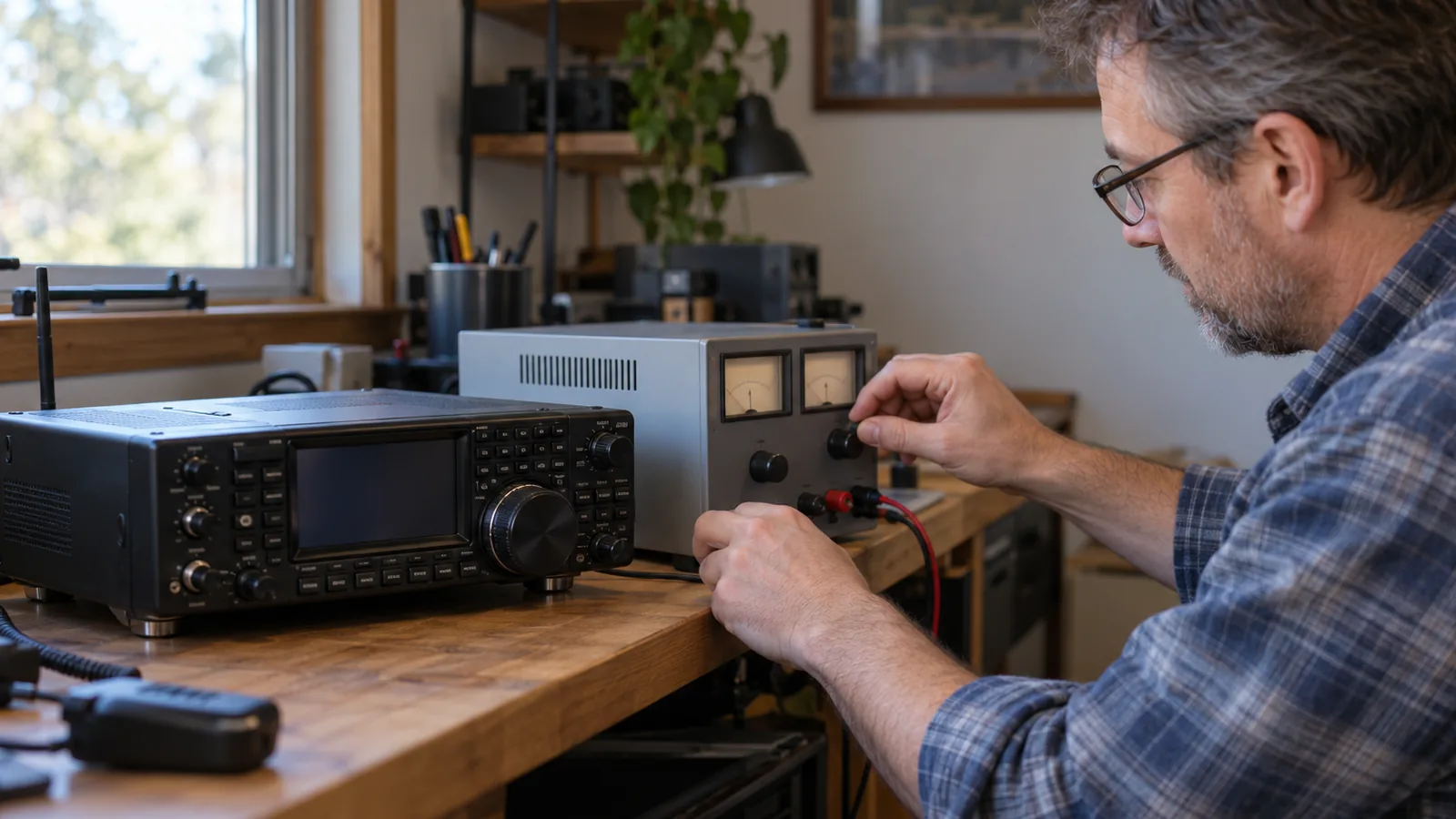
Check voltage and polarity at the radio end. With a DC voltmeter, measure the cable’s output before connecting it to the transceiver. Confirm both voltage and polarity match the radio’s requirements.
Connect with the equipment off. Turn off the radio and DC supply before connecting the cable; for the Kenwood TS-480, leave the supply unplugged from AC until the connections are made.
Test the setup and check for noise. After connecting, turn on the supply and radio as directed in their manuals, then listen for interference as you operate. Poorly designed switching supplies can cause radio-frequency interference, and the risk depends on the supply model and installation.
How much voltage and current do you need?
For example, the Icom IC-7300 specifies 13.8 V DC ±15%, while the Yaesu FT-991 specifies the same voltage range and calls for a supply capable of at least 23 A. Those figures apply to those models, not to every ham radio. The Icom IC-718 specifies 13.8 V DC ±15% and 20 A transmit current at 100 W.
Use this method:
- Read the radio’s voltage range: Find the required DC input voltage and permitted range for your exact model. A “12 V” label alone doesn’t establish compatibility.
- Find maximum transmit current: Use the manufacturer’s transmit-current figure, not a receive-current figure or a guess based on typical use.
- Check the supply’s continuous rating: It should meet or exceed the radio’s maximum transmit-current requirement. Don’t rely on a peak or intermittent rating in place of a continuous one.
- Add shared equipment: If the supply also powers other station equipment, add their expected current draws to the radio’s demand and size the supply for the combined load.
Choose a supply type and manage noise
Choose a switching supply when its smaller, lighter form suits your station, and consider a linear supply when its larger, heavier transformer-based design fits your setup. Neither type is universally best: switching supplies can cause radio-frequency interference (RFI), but the risk depends on the model and installation.
- Size and weight: Linear supplies are generally larger and heavier; switching supplies are generally smaller and lighter.
- RFI: A switching supply may add noise to received signals, so look for a model that claims low RFI rather than ruling out every switching supply.
- Efficiency: The available specifications don’t establish a general efficiency advantage for either supply type. Compare verified figures for the specific models you’re considering.
Small consumer wall-wart switching supplies are common noise sources, while supplies designed for amateur-radio equipment are a distinct category.
If you’re choosing between specific models, prioritize a supply designed for radio use that claims low RFI, then consider its size and weight against your station’s needs.
Compare the specifications that matter
Use the radio’s specifications and the supply’s continuous output rating to compare six checks before connecting anything. The voltage and current figures below are model-specific examples, not universal targets.
| Check | What to verify |
|---|---|
| Radio input voltage | Match the radio’s required DC voltage and permitted range. The IC-7300 specifies 13.8 V DC ±15%. |
| Maximum transmit current | Use the radio’s maximum transmit-current figure, not its receive-only draw. The IC-718 specifies 20 A at 100 W; ARRL gives about 25 A at 13.8 V as an example for a 100 W transceiver. |
| Supply output capacity | The continuous current rating must meet or exceed the radio’s maximum transmit-current requirement. |
| Connector and polarity | Use the specified or supplied cable, verify its wiring, and measure voltage and polarity at the radio end before connection. |
| Noise considerations | Check for a low-RFI claim; switching supplies can cause interference, depending on the model and installation. |
| Intended operating location | If the supply will power other station equipment too, add their expected current draws to the radio’s load. |
Frequently Asked Questions
Can I power a ham radio from a battery instead?
Yes, a battery can power a ham radio if its output voltage and wiring match the radio’s requirements. The Yaesu FTM-150R manual shows operation from either a 13.8 V supply or a DC 12 V battery, but check your radio’s permitted voltage range before connecting one.
What size battery do I need to run a ham radio portable?
Choose a battery that provides the radio’s required voltage and can supply at least its maximum transmit current. For portable operation, also account for any accessories sharing the battery; add their expected current draws to the radio’s load.
How long will a battery power my ham radio?
Estimate runtime by dividing the battery’s usable capacity by the radio’s average current draw, including time spent transmitting and receiving. The radio’s maximum transmit current helps you size for transmit load, but by itself it doesn’t tell you how long the battery will last.
Do I need a fuse between my ham radio and power supply?
Yes, use the fuse arrangement specified for your radio and DC cable, and don’t remove a cable’s fuse holder. The Yaesu FTM-150R manual warns against using a cable with its fuse holder cut off; verify the supplied cable’s wiring before connecting it.
Should I ground my ham radio power supply?
Follow your radio’s specified grounding arrangement, since models can differ. The Yaesu FT-991 specifies negative ground, with the red lead to positive and the black lead to negative. Verify your radio’s cable polarity before connection.
Conclusion
If you operate one radio, choose a supply that matches its voltage range and can handle its full transmit load. If the supply will also power station accessories, size it for their combined current draw, then favor a radio-oriented model with a low-RFI claim if noise matters in your setup.
Your next step is to write down your radio’s voltage range, maximum transmit current, and any shared equipment’s current draw. Compare those figures with each supply’s continuous rating, then verify the cable’s fit and polarity before connecting it.
Sources
- arrl.org (arrl.org)
- icomjapan.com (icomjapan.com)
- arrl.org (arrl.org)
- yaesu.com (yaesu.com)
- yaesu.com (yaesu.com)
- kenwood.com (kenwood.com)
- yaesu.com (yaesu.com)
- nediv.arrl.org (nediv.arrl.org)
- yaesu.com (yaesu.com)
- icomjapan.com (icomjapan.com)
- arrl.org (arrl.org)