How to Choose a CB Microphone for Your Radio
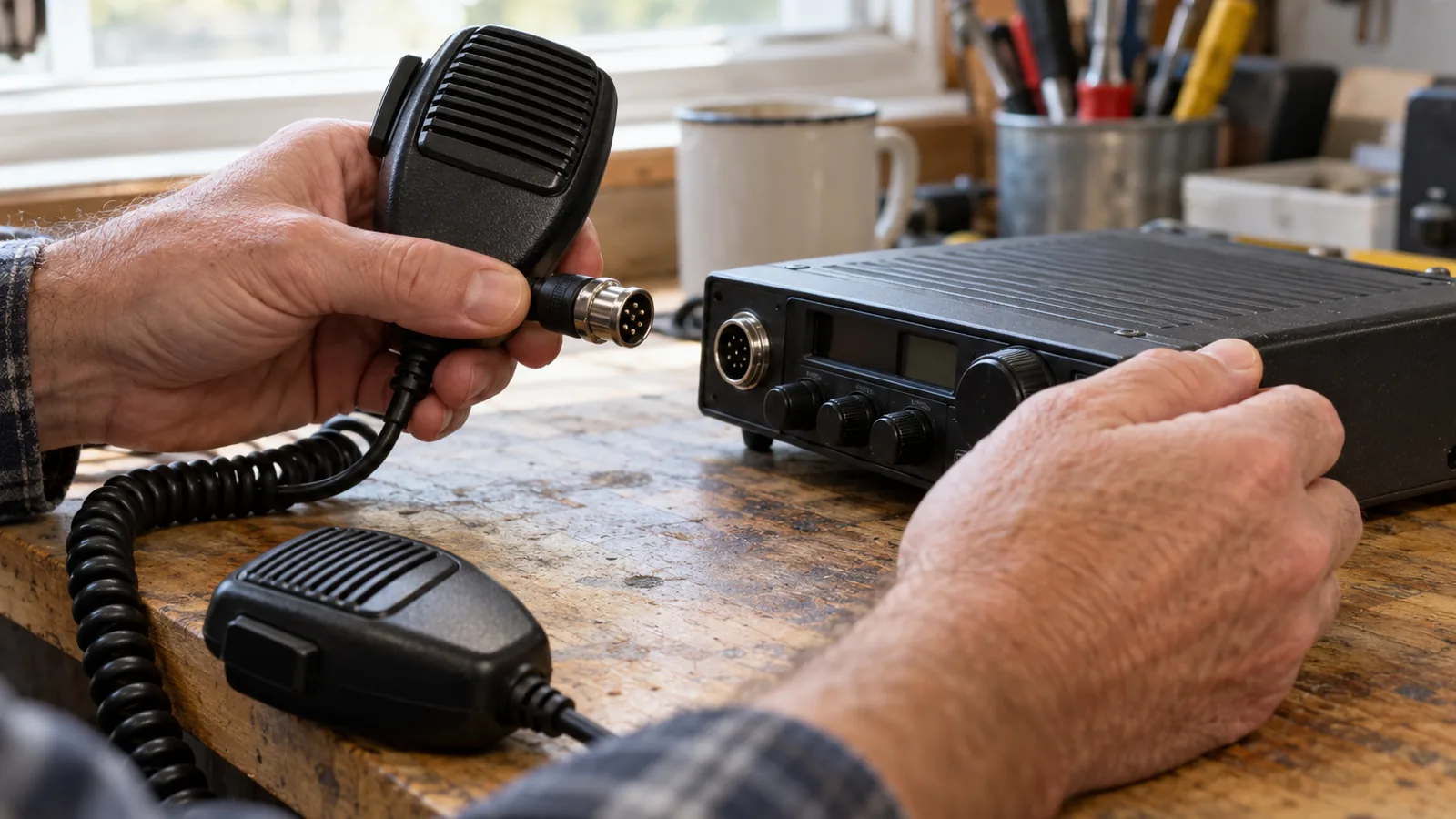
Choose a CB microphone by matching its connector, pin wiring, and element type to your radio; confirm all three before buying. The key mistake is assuming the same pin count means the wiring matches, since pin assignments can differ between radios, even within one brand. Check the radio’s exact model and version against the microphone’s compatibility information.
Quick answer
How do I choose a CB microphone?
Match the microphone’s connector, pin wiring, and element type to your radio’s exact make, model, and version before buying. A matching pin count isn’t enough because pin assignments can differ between radios, including radios from the same brand.
- Record the radio’s full model and version, including any suffix.
- Check its manual or specification page for the required connector and element type, dynamic or electret.
- Verify the microphone’s audio, transmit, receive, and ground/common pin functions for that radio; don’t rely on wire colors or pin positions alone.
- Choose extra features, such as adjustable voice level or noise reduction, only after confirming electrical compatibility.
- Install the mic, seat the plug fully, inspect for damage or loose connections, and test transmit and receive.
Choose a CB microphone step by step
Record the radio’s exact make, model, and version. Include suffixes, since radios with similar model names can have different microphone compatibility.
Find the microphone requirements for that exact radio. Check its owner’s manual or specification page for the connector, element type, and wiring. If the manual isn’t available, CBTricks organizes microphone wiring information by manufacturer and model.
Decide whether to keep the stock microphone or replace it. Use the stock microphone as a reference if it’s available; compare a replacement only after you’ve identified the radio’s requirements. Some replacement microphones are model-specific, including among certain Bluetooth radios.
Compare the element type and features against the radio’s requirements. Dynamic elements don’t need power, while electret elements are powered by the CB and require radio support. Power microphones add a preamplifier and adjustable voice level; Cobra’s power microphones use a 9-volt battery.
Verify the connector and pin functions for the specific model. A matching pin count doesn’t prove compatibility: 4-pin Cobra and Midland radios can use different pin assignments, and wiring can vary within a brand. Confirm the audio, transmit, receive, and ground/common connections in the radio documentation or a wiring diagram, rather than assuming wire colors or pin positions are universal.
Check the manufacturer’s compatibility information before buying. For example, Cobra lists a 6-pin replacement microphone for the 29 LTD BT, 29 WX NW BT, and 29 LX BT, but not the 29 LX MAX. Features such as adjustable voice level don’t replace the need to match the connector, pinout, and element type.
Install the microphone and check its connections. Seat the plug fully, then inspect the cord, plug, radio socket, and microphone-pin contacts for damage or loose connections; loose wiring can prevent transmit or receive.
Test transmit and receive operation. If the replacement doesn’t work, confirm it’s wired for the exact radio model, press push-to-talk fully, and compare operation with the original microphone if available.
Which microphone type fits your setup?
Factory-style microphones are the simplest fit when the original mic works for your setup; choose a replacement only after confirming its element type, connector, and wiring match your exact radio. A microphone can have the right plug and still be wired for a different radio.
The microphone element converts your voice into an electrical signal. Some microphone elements need no power, while electret elements draw power from the CB and require a compatible radio. Check your radio’s manual or specifications to confirm which element type it supports before choosing a replacement.
A stock or factory-style mic is a practical choice if you want to keep using the mic supplied with the radio, provided it’s in working condition. If you need a replacement, match the specified element type and confirm exact model compatibility.
Cobra’s 6-pin replacement mic for the 29 LTD BT, 29 WX NW BT, and 29 LX BT doesn’t fit the 29 LX MAX; some Bluetooth-model replacement mics also aren’t interchangeable. Treat each radio model and version as its own compatibility check, even when the names look similar.
Pin functions must match, too: audio, transmit, receive, and ground/common connections can differ between radios, including within a brand. Don’t choose by wire color or pin position alone; verify the pin functions for your specific radio and microphone. Added features don’t make an incompatible mic electrically suitable.
If your manual isn’t available, CBTricks organizes documentation, including microphone wiring information, by manufacturer and model. After installing a replacement, check that the plug is seated and inspect the cord, plug, socket, and contacts for damage or loose connections.
Check compatibility and useful features
Match the microphone’s connector, pinout, and element type to your exact radio model before buying; a matching plug shape alone doesn’t confirm compatibility.
Find the radio’s full make, model, and version, including any suffix, then check its manual or specifications for the required connector and microphone element, such as dynamic or electret. Similar model names can have different microphone compatibility, and Cobra lists both 4-pin and 6-pin replacements with model-specific exceptions.
For a replacement, verify the pin functions for your radio rather than relying on wire colors or a pinout from another model. Confirm which pins carry audio, transmit, receive, and ground or common, since assignments can differ between radios, including radios from the same brand. If you can’t find the manual, CBTricks organizes documentation and microphone wiring information by manufacturer and model.
Choose features for your operating conditions, but treat them as separate from electrical compatibility. Documented options include:
- Power microphones: A built-in preamplifier and adjustable voice level; Cobra’s power microphones use a 9-volt battery.
- Noise-canceling microphones: Designed to reduce background noise in transmitted voice.
- Echo microphones: Add an adjustable echo or delay effect.
- Controls: Some microphones have UP/DOWN channel buttons, push-to-talk, or noise-reduction controls. President lists its BT Mike for compatible 6-pin CB radios and describes five noise-reduction levels.
Check whether the specific radio supports any control or feature you want, and don’t infer compatibility from a feature list. Cobra also notes that some replacement microphones for Bluetooth models aren’t interchangeable.
If distorted audio or squeal persists, Cobra’s troubleshooting guidance includes checking antenna SWR; it describes below 3 as the target and below 2 as ideal.
Compare CB microphone options at a glance
| Option | Compatibility check | Relevant benefit | Limitation |
|---|---|---|---|
| Dynamic element | Confirm the radio calls for a dynamic element | Works without power to the element | Must match the radio’s specified element type |
| Electret element | Confirm the radio supports an electret element | The CB powers the element | Requires a radio that supports electret |
| Power microphone | Check the connector, pinout, and element type for your radio | Preamplifier and adjustable voice level | Cobra power microphones use a 9-volt battery |
| 4-pin or 6-pin connector | Verify the exact radio model and pin functions | Cobra lists replacement microphones with both connector counts | Matching pin count alone doesn’t confirm compatible wiring |
Treat model-specific compatibility as decisive, especially for Bluetooth models, where some replacement microphones aren’t interchangeable.
Frequently Asked Questions
What should I do if my CB microphone has static or low audio?
Start by reseating the microphone plug, then inspect the cord, plug, radio socket, and contacts for damage or loose connections; loose wiring can disrupt transmit or receive. For squeal with a power microphone, try the original mic and lower the radio’s microphone gain; distorted audio or squeal can also call for an antenna SWR check.
How do I adjust microphone gain on a CB radio?
If a power microphone squeals, try the original microphone and reduce the microphone gain. If your microphone has its own voice-level control, that adjusts the outgoing signal too, but it doesn’t replace matching the mic’s wiring and element type to the radio.
Can I use a noise-canceling CB microphone in a noisy truck?
Yes, a noise-canceling microphone is designed to reduce background noise in transmitted voice. Before using one, verify that its connector, pin functions, and element type match your exact radio; the noise-reduction feature alone doesn’t establish electrical compatibility.
How do I maintain a CB microphone and its cord?
Periodically inspect the cord, plug, radio socket, and microphone contacts for damage or loose connections.
When should I replace a damaged CB microphone cable?
Replace the cable if inspection shows damage or loose wiring that interferes with transmit or receive, and check the radio socket and microphone contacts before blaming the cord. After replacement, confirm the microphone is wired for your exact radio model, seat the plug fully, and test transmit and receive.
Conclusion
If your original microphone works and suits your setup, keep using it. If you need a replacement, choose one only after confirming the exact radio model’s connector, pin functions, and element type; choose extra features only if the radio supports them. Your next step is to write down the radio’s full model and version, then compare those requirements with the replacement’s compatibility information before buying.
Sources
- support.cobra.com (support.cobra.com)
- Microphone Wiring Diagram (wearecb.com)
- support.cobra.com (support.cobra.com)
- cbtricks.org (cbtricks.org)
- support.midlandusa.com (support.midlandusa.com)
- president-electronics.us (president-electronics.us)
- support.cobra.com (support.cobra.com)
- support.cobra.com (support.cobra.com)