
How to Use an SWR Meter to Tune an Antenna
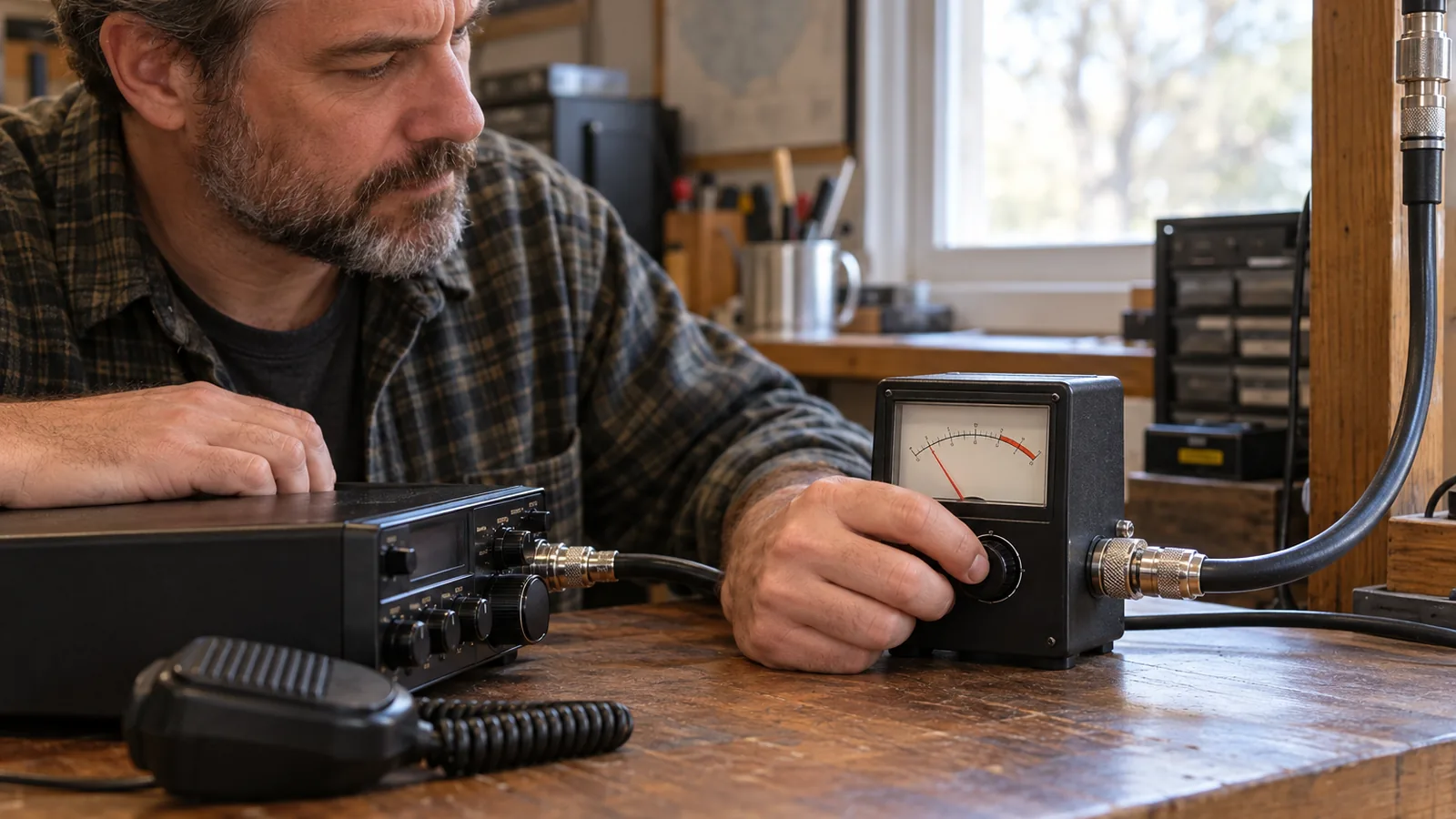
To learn how to use an SWR meter, connect it between the radio and antenna, calibrate it if needed, then transmit briefly and read SWR; for CB, check channels 1, 19, and 40. Keep test transmissions brief and use the radio’s lowest practical power, and never transmit into a disconnected or badly out-of-tune antenna.
Quick answer
How do you use an SWR meter?
Connect the meter between the radio and antenna, check that its frequency and power ranges fit your radio, then transmit briefly at the lowest practical power to take a reading. For a single-needle meter, calibrate it on each channel; acceptable SWR depends on your equipment, with below 2.0:1 on CB channels 1, 19, and 40 a practical target.
- Turn off the transmitter, connect the antenna coax to ANT and a jumper from the radio to TX, then select the correct power range if available.
- Confirm the meter covers the test frequency; for CB, check channels 1, 19, and 40.
- For a single-needle meter, select FWD or CAL, key the radio briefly, set the needle to the mark, switch to REF or SWR while still transmitting, note the reading, then unkey.
- Repeat calibration and reading for each channel; keep each transmission brief and use the radio’s lowest practical power.
- Stop transmitting before each small antenna adjustment, then repeat the measurement.
Connect and use an SWR meter step by step
Use the meter’s TX and ANT ports to place it between the radio and antenna, then take a brief reading with the meter set for the radio’s frequency and power range.
| Meter | Frequency coverage (MHz) | Source |
|---|---|---|
| Diamond SX40C | 144–470 | diamondantenna.net |
| MFJ-828 | 1.8–54 | mfjenterprises.com |
Check that the meter covers your radio’s operating frequency before connecting it. A meter outside its frequency coverage won’t give you a reliable reading.
- Turn off the transmitter before changing any coax connections.
- Find the meter ports marked ANT or Antenna and TX, Transmitter, or Xmit; labels vary by meter.
- Disconnect the coax that runs from the radio to the antenna, then connect that coax to the meter’s ANT port.
- Use a jumper coax cable to connect the radio to the meter’s TX port.
- Select the meter’s power range, if it has one, and confirm that the meter covers the frequency you’ll test.
- If you have a single-needle meter with FWD or CAL and REF or SWR settings, select FWD or CAL, key the radio, and turn SET or CAL until the needle reaches the meter’s mark.
- While still transmitting, switch to REF or SWR and read the SWR; then unkey the radio.
- Keep each test transmission brief and use the radio’s lowest practical transmit power.
- Stop transmitting before adjusting the antenna, then repeat the measurement after each small adjustment.
Keep the antenna installation, feed-line routing, frequency, and meter connection point consistent so readings can be compared.
What SWR reading should you aim for?
A lower SWR is generally better, but the acceptable reading depends on your radio, antenna, and operating conditions. SWR compares the impedance of the antenna system with the transmitter’s expected impedance; a higher ratio means a poorer match and more reflected power. Lower SWR means a closer match.
For CB, a reading below 2.0:1 on channels 1, 19, and 40 indicates the system can be used on any channel without damaging the radio circuitry, according to Firestik’s guidance. Cobra rates readings below 1.5:1 as excellent and below 2:1 as very good, while warning that CB SWR must not exceed 3:1. CB below 2.0:1 is a practical goal, but it isn’t a universal limit for every radio or antenna.
Check the limits for your specific equipment before deciding what reading is acceptable. Some modern transceivers begin reducing power at about 1.5:1, while Cobra gives 3:1 as the maximum for CB equipment. Power reduction can begin near 1.5:1 on some radios, so a reading below 2:1 may still affect your radio’s output.
If your CB reading is above 2.0:1 but below the red zone, inspect the coax, ground plane, and antenna mount for problems. If the reading is in the red zone on all CB channels, a short in the coax connectors or mounting stud may be the cause; don’t use the radio until you find the fault. Red-zone readings call for troubleshooting, not more transmitting.
Why do readings change with frequency and setup?
Readings change with frequency, antenna conditions and meter location, so a value from one channel may not describe the whole band. An antenna’s feed-point impedance, the opposition it presents to radio-frequency current, varies with operating frequency, antenna height and ground conditions.
On CB, the SWR often reads lowest near channel 19 and rises toward channels 1 and 40. Check all three channels to see how the match changes across the band, rather than relying on a single reading.
The difference between the band-end readings can help diagnose antenna length. If channel 40 reads higher than channel 1, the antenna is electrically long; reducing its physical height or conductor length may correct the pattern. If channel 1 reads higher than channel 40, it’s electrically short; increasing its physical or electrical length may help, though insufficient ground plane can cause the same pattern.
Meter location changes what the reading represents. A reading at the antenna feed point shows the antenna-end SWR, while a reading at the radio end reflects the installed system as you use it. Feed-line loss can make the radio-end reading appear lower than the antenna-end reading.
For useful comparisons, keep the antenna installation and coax routing unchanged, and take readings at the same frequencies and connection point.
Which SWR meter settings and readings matter?
Check the meter’s calibration controls, power range, and display type before reading SWR; the controls vary by meter design. If you’re learning how to use an swr meter, first identify whether it uses a single needle or cross-needles, since the reading procedure differs.
On a common single-needle meter, select FWD or CAL, key the radio, then turn the SET or CAL knob until the needle reaches the meter’s calibration mark. Keep transmitting, switch to REF or SWR, note the reading, then unkey.
A cross-needle meter can show forward and reflected power at the same time; read SWR where the needles cross. Some cross-needle meters don’t need a separate calibration adjustment. Other meters may include a power-range switch or display forward power, reflected power, or SWR, so check which scale and range apply to your meter.
If the meter barely moves or shows no reading, check that the radio is transmitting RF, the carrier power is sufficient, the meter’s frequency and power ranges match, and the connections are sound. An incorrectly installed antenna mount can also prevent a CB reading.
For comparable readings, keep the antenna installation, feed-line routing, meter connection point, and test frequencies the same. A reading at the radio end shows the installed system as you use it; measuring at the antenna feed point is needed to determine the antenna-end reading. Conventional inline meters need an RF transmission to produce a reading.
Frequently Asked Questions
What should I check if my SWR meter shows no reading?
Check that the radio is transmitting RF, the meter covers the test frequency and power, and each coax connection is secure. If those checks pass, inspect the antenna mount and confirm the carrier power meets the meter’s minimum; for example, the Diamond SX40C needs at least 4 W to measure SWR.
How do I lower SWR by adjusting antenna length?
Compare readings on CB channels 1 and 40: if channel 40 reads higher, shorten the antenna; if channel 1 reads higher, lengthen it. Make a small adjustment with the radio unkeyed, then measure again on the same channels; a weak ground plane can also cause channel 1 to read higher.
Can a high SWR damage my radio?
Yes, high SWR can make a transmitter overheat and fail; Cobra gives 3:1 as the maximum for CB equipment. Stop transmitting if the reading is in the red zone, especially across all CB channels, and check the coax connectors and mounting stud for a short before using the radio again.
Can an antenna tuner fix a high SWR reading?
An antenna tuner can change the match seen by the transmitter, but it doesn’t correct a fault in the antenna system; check the coax, mount, and ground plane if SWR is high. Measure at the radio end to assess the installed system, since feed-line loss can make that reading lower than the antenna-end SWR.
How often should I check my antenna’s SWR?
Check SWR after installing or adjusting the antenna, and again if you suspect a change in the antenna system; compare readings using the same frequencies, meter location, and coax routing. For CB, measure channels 1, 19, and 40 to check the match across the band.
Conclusion
If your radio and antenna are already installed and the meter’s frequency and power ranges match, connect the coax and take readings at the test frequencies you’ll use. If the reading is high, stop transmitting before making small antenna adjustments, then measure again with the same setup. Your next step is to check the antenna, coax and mount if the reading stays high or the meter shows no usable signal.
Sources
- firestik.com (firestik.com)
- firestik.com (firestik.com)
- diamondantenna.net (diamondantenna.net)
- support.cobra.com (support.cobra.com)
- arrl.org (arrl.org)
- diamondantenna.net (diamondantenna.net)
- mfjenterprises.com (mfjenterprises.com)
- arrl.org (arrl.org)
- arrl.org (arrl.org)
- support.cobra.com (support.cobra.com)
- mfjenterprises.com (mfjenterprises.com)
